Documentation
How to use Dosoft
Everything you need to master Dofus multi-account play.
On this page
🚀 Quick start
- 1
- 2
Launch Dofus
Open your Dofus clients normally and log in to your characters.
- 3
Run Dosoft as administrator
Right-click the executable → "Run as administrator". Dosoft automatically detects open Dofus windows.
- 4
Configure your shortcuts and switch
Open the settings screen, assign your keys, and enjoy lag-free switching.
💾 Installation
Via installer
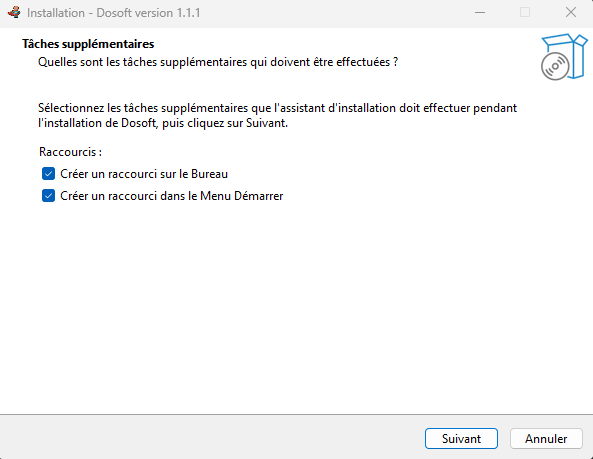
Go to the download page and download the .exe file. Double-click it and follow the steps. Installation takes less than a minute.
⚠️ Possible antivirus false positive
Some antivirus programs flag Dosoft incorrectly due to the win32 API used to interact with windows. Dosoft is 100% open-source — check the code yourself on GitHub. If necessary, add an exception in your antivirus. We are working to reduce these false positives.
Via source code (developers)
Clone the GitHub repository and follow the build instructions in the project README.
→ GitHub RepositoryRequirements
- →Windows (required — Dosoft uses the win32 API)
- →Dofus installed and running (classic or Retro version)
- →Run Dosoft as administrator (required to detect and control windows)
⚡ Instant Switch
Instant switch is Dosoft's main feature. It uses the Windows API (win32) to detect all running Dofus processes and switch between their windows with zero latency — faster than the official Organizer.
Configurable shortcuts
All shortcuts are configured in the settings screen.
Next window
Move to the next character in list order
Previous window
Go back to the previous character
Back to leader
Switch directly to your main character
Key per character
Dedicated key for each individual character (optional)
🎯 Character Wheel
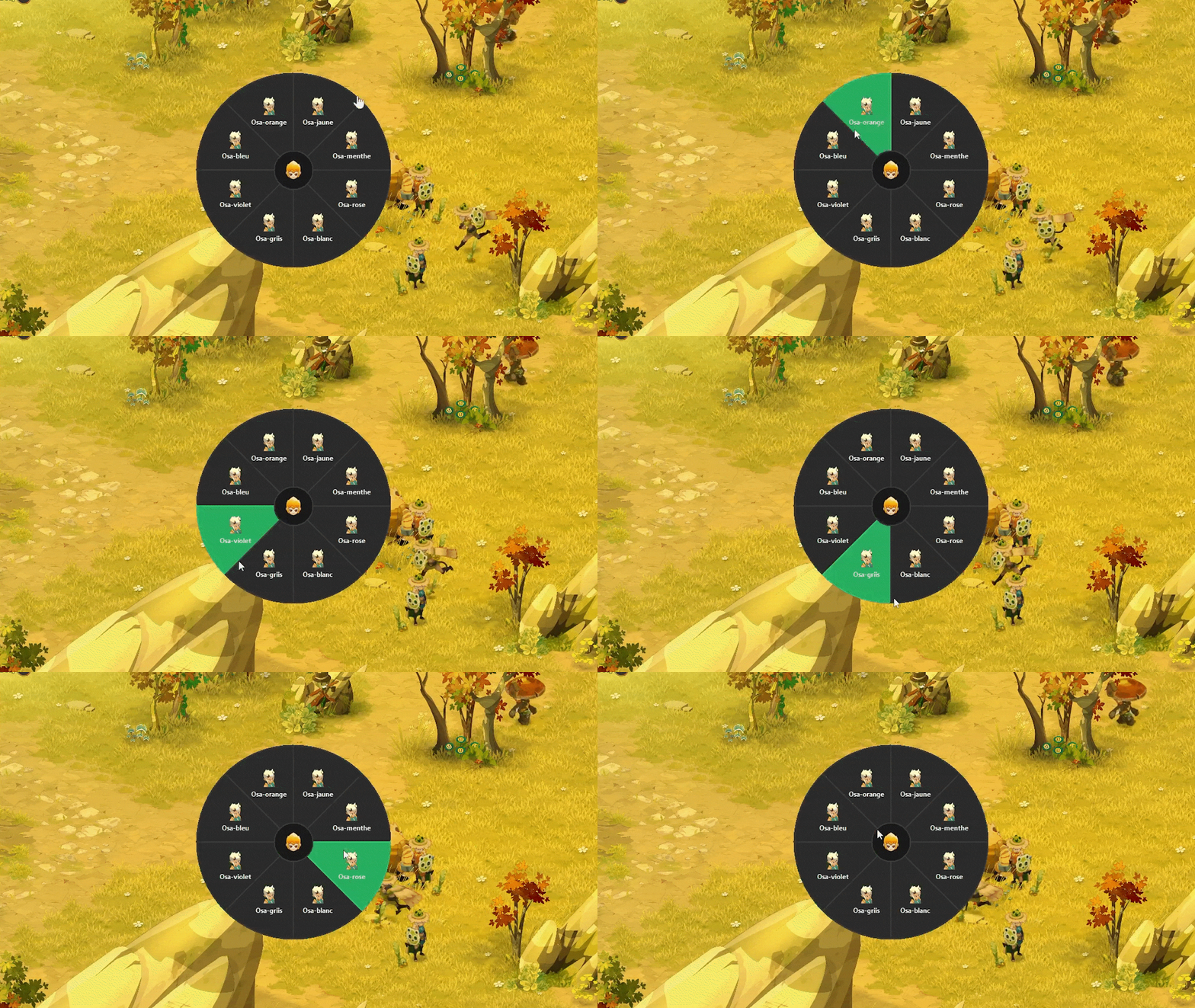
The character wheel is a radial interface that appears directly at your mouse position. It lets you visually and instantly choose which character to bring to the foreground.
How to use it
Hold ALT and perform a Clic — the wheel appears at your mouse position.
Each segment represents a Dofus character detected by Dosoft.
Click on the desired segment to switch to it instantly.
🧠 Team Split
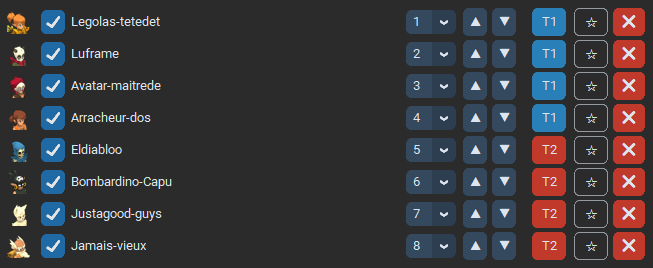
Team split lets you group your characters into distinct teams. Once an active team is selected, switch shortcuts (next/previous) only cycle through that team's characters.
Example — Larva Dungeon
Create a "Larva" team with only the characters involved in the dungeon. Activate it in Dosoft: your switch keys will only cycle through those characters, without touching the rest of your open accounts.
Setting up a team
Open Dosoft and go to team management.
Create a new team and assign the desired characters to it.
Select the active team — switching is now limited to those characters.
To return to global mode, deactivate the team or select "All".
🕹️ Dofus Retro Support
Dosoft is compatible with Unity 3.0, and also fully compatible with Dofus Retro, with exclusive options for this game engine.
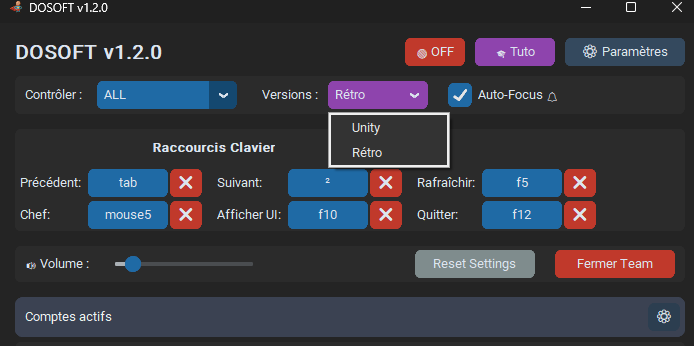
Engine selector
A selector lets you choose between the Unity engine and Retro page detection. One click and the change is done.
Character database
A database updates with all your characters upon detection.
Don't forget to add your classes next to your character names for better readability in the interface.
Dosoft Retro works exactly as described in the previous sections (switch, wheel, team split). However, one additional feature appears: autofocus. See the dedicated section below.
🔔 Retro Autofocus
Autofocus is a notification scanning system, fully legal, that automatically brings to the foreground the character who needs to play their turn, accept a trade, etc.
To enable this mechanic, you must be on the Retro engine and follow the 3 steps below.
Allow apps to read your notifications
Go directly to the Security tab in your Windows settings and allow apps to access your notifications.
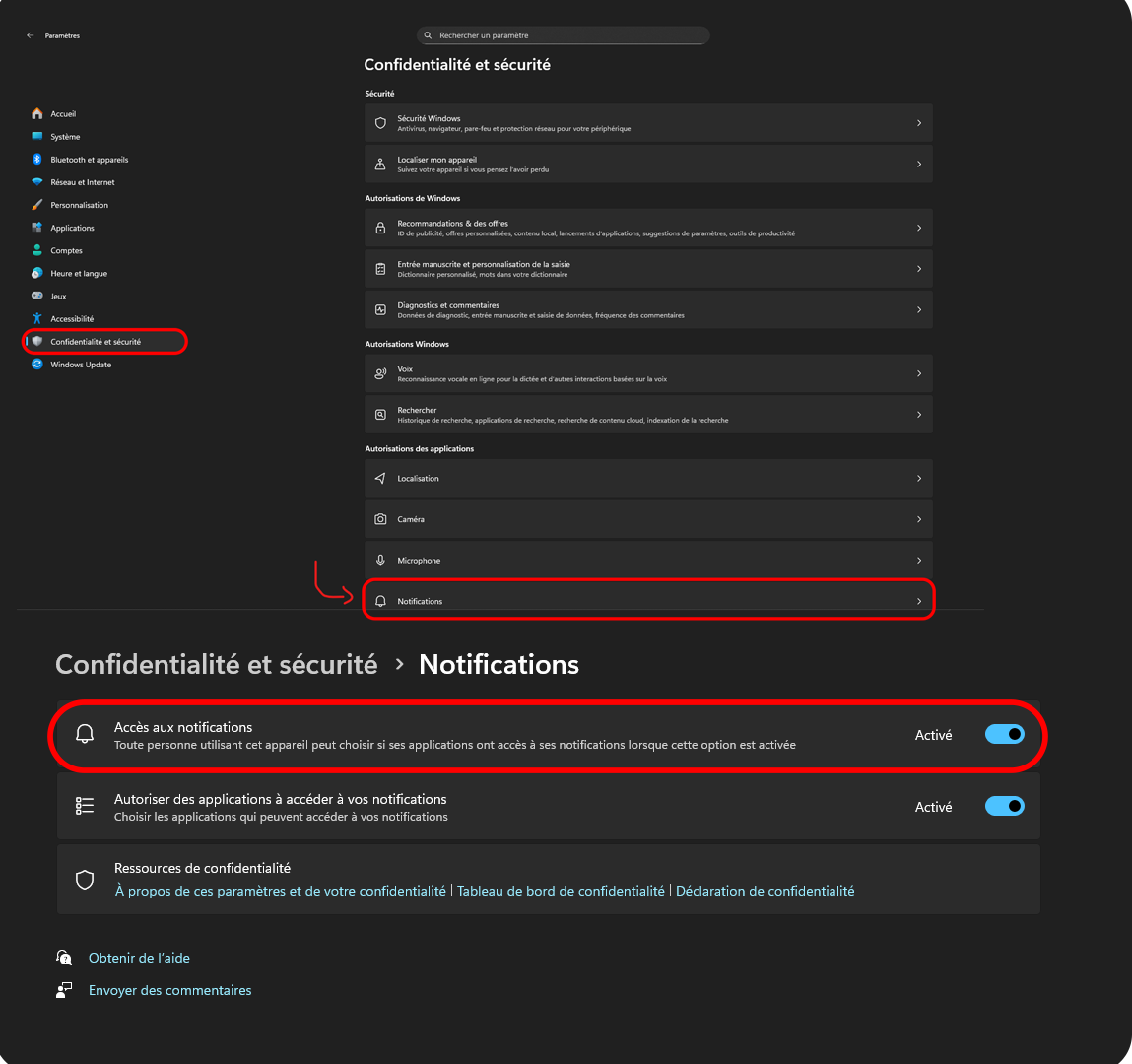
Enable Windows notifications for your "Dofus1" game
No need to enable full notifications — background notifications are sufficient.

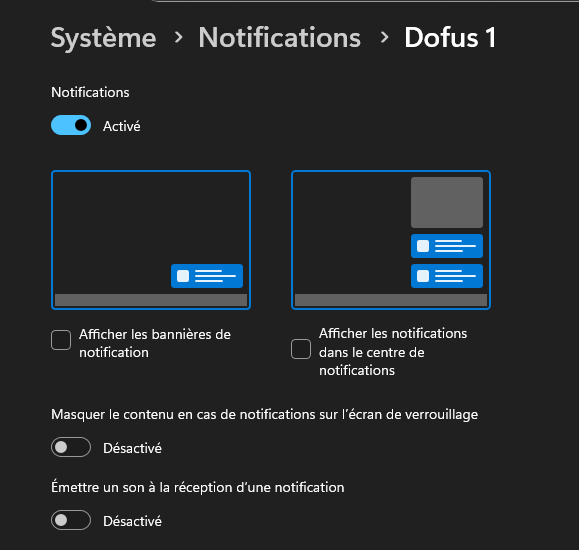
Enable background notifications in-game
In-game, enable background notifications so Dofus properly sends events to Windows.

⚙️ Configuration
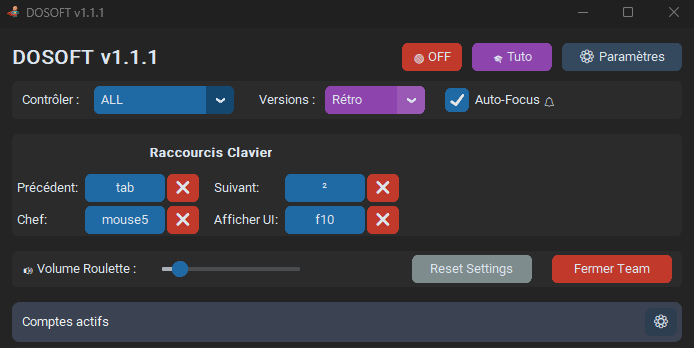
The settings screen centralizes all Dosoft customization options.
Global shortcuts
- →Next window — cycle through the list in order
- →Previous window — cycle through the list in reverse
- →Back to leader — direct access to main character
Per-character shortcuts
- →Individual dedicated key for each character (optional)
- →Ideal for jumping directly to a specific character without cycling
Retro Mode
- →Dedicated button to switch to Dofus Retro compatibility

❓ FAQ
Is Dosoft authorized by Ankama?
Yes. Dosoft is tolerated by Ankama, just like Organizer v1.5. This means no sanctions will be applied for using it. However, be careful: if issues arise from a pirated version or a fake circulating under this name, Ankama cannot intervene. Always download Dosoft from our official site or GitHub.
My antivirus detects Dosoft as a virus — is it dangerous?
No, it's a false positive. Dosoft uses the win32 API to interact with Windows windows, which can trigger some antivirus programs. The source code is entirely public on GitHub — you can audit it yourself. Add an exception in your antivirus if necessary. We are working to reduce these false positives.
Why does Dosoft need to run as administrator?
The win32 API requires elevated rights to detect and control windows belonging to other processes (Dofus clients). Without these rights, Dosoft cannot interact with Dofus windows.
Does Dosoft work on Mac or Linux?
No. Dosoft relies on the Windows API (win32) and is exclusively compatible with Windows.
Does Dosoft automatically detect my characters?
Yes. At launch, Dosoft automatically scans running Dofus processes. No manual configuration is needed for initial detection.
My shortcuts don't seem to work.
First check that Dosoft is running as administrator. Then make sure your shortcuts are correctly configured in the settings screen and that they don't conflict with other software.
Does Dosoft work with Dofus Retro?
Yes, fully. Simply activate Retro mode via the dedicated button in the Dosoft interface.